 LevelQuay
Consistent loudness.
Untouched originals.
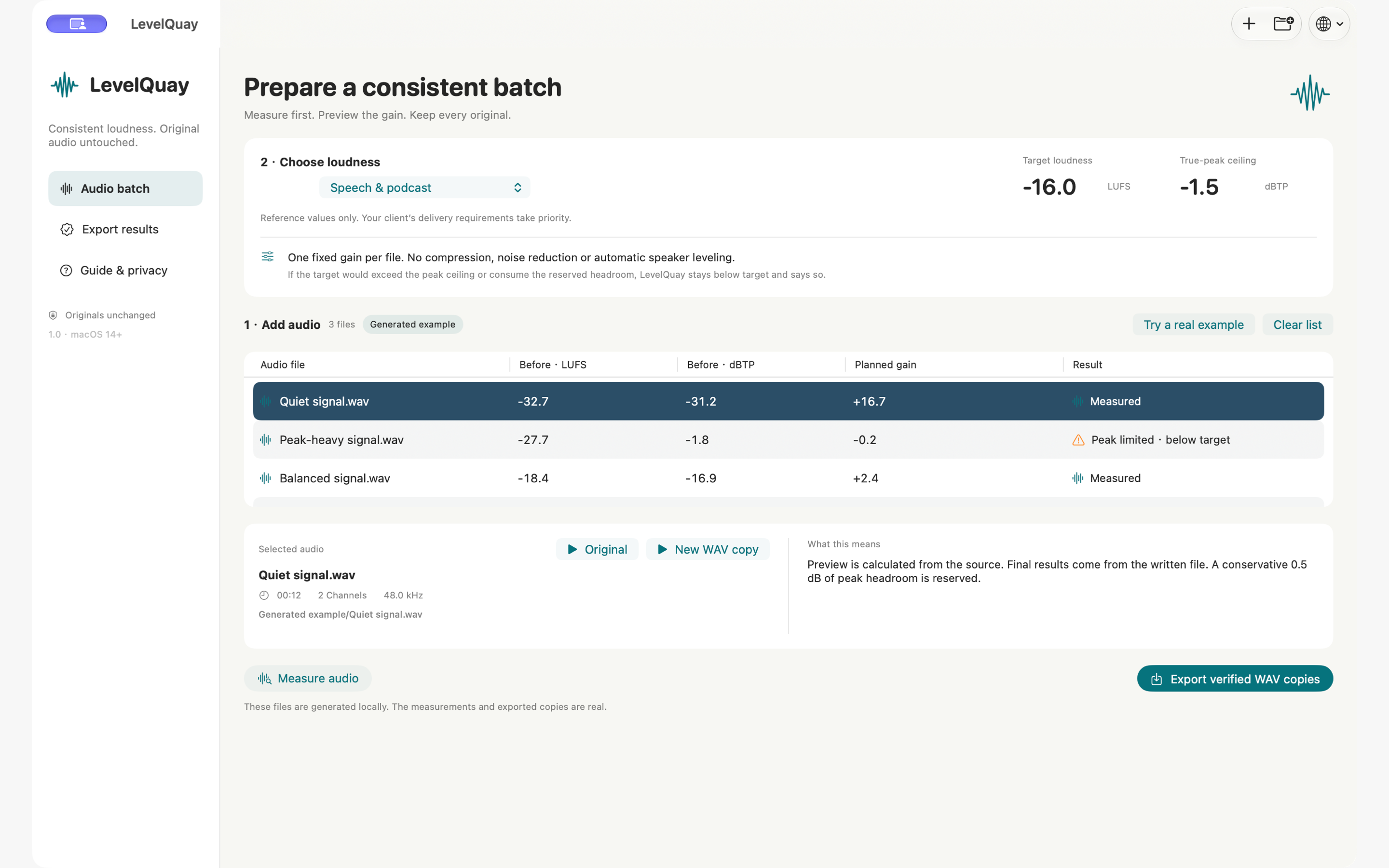
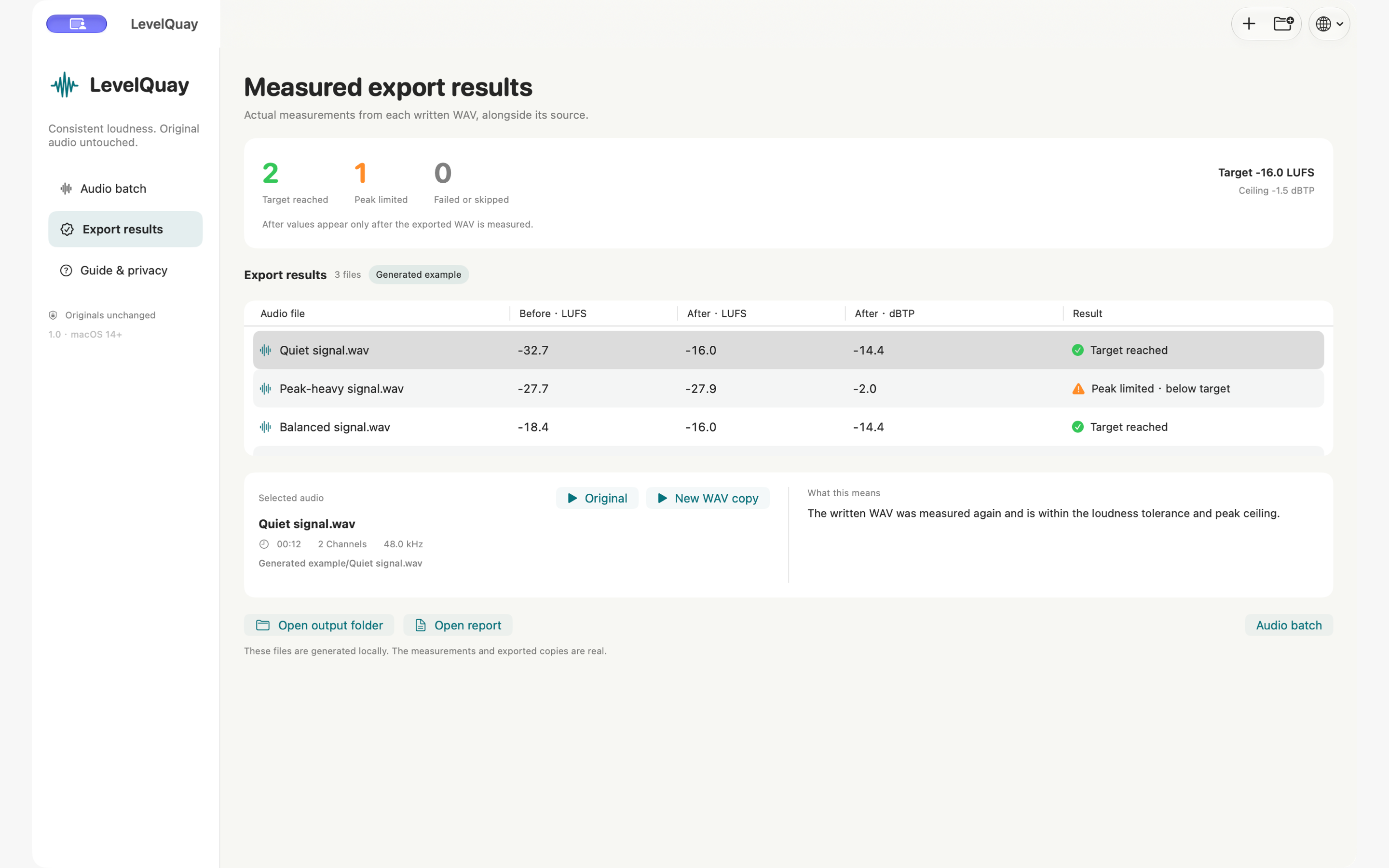
Measure a batch, choose a loudness target, and save new WAV copies. See what changed with measurements taken from the written audio.
Planned US price: $2.99 once · No subscription
In development. The Mac app is not yet available to buy.
Three steps. A clear result.
Fixed gain preserves the dynamics within each file. If the peak ceiling limits the gain, LevelQuay tells you the loudness target was not reached.
- 01
Measure the batch
Add mono or stereo audio. Compare integrated LUFS and true peak before making a new copy.
- 02
Choose the target
Pick a reference or your own values. Preview the gain, including any restriction from the true-peak ceiling.
- 03
Save and remeasure
Export to a new folder. Every written 24-bit WAV is measured again; HTML, CSV and JSON reports stay with the audio.
Know what a peak ceiling changes.
Already measured your audio? Enter those numbers to explore a fixed-gain adjustment. This calculator does not open, measure or upload audio.
Includes 0.5 dB of conservative headroom below the chosen true-peak ceiling. True-peak measurements are estimates and can differ between meters.
Mathematical predictions only. Gating, decoding and rounding can change actual loudness. LevelQuay measures each written WAV again; the calculator does not verify audio or certify delivery.
- Gain needed for target
- —
- Gain after peak cap
- —
- Predicted loudness
- —
- Predicted true peak
- —
A focused tool, with clear limits.
Input: decodable WAV, AIFF, MP3, M4A and FLAC. Output: 24-bit PCM WAV at the source sample rate and channel count. Audio with more than two channels is not supported.
No noise removal, speaker balancing, dynamic limiter, album gain, video conversion, transcription, tag or artwork preservation. Peak-limited files may stay below your target.
LUFS measures integrated perceived loudness. dBTP estimates peaks between samples. These results do not guarantee acceptance by a platform or broadcaster.
Support